


MyTunes : AI Music Generator
4.35.13K Reviews
App Specs
- Version
- 2.4.9
- Updated On
- License
- Free
- Downloads
- 5,000,000+
- Developer
- HubX
- Categories
- Entertainment
- Platform
- Android, iOS
Screenshots
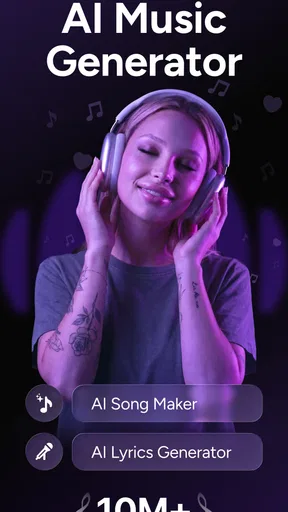
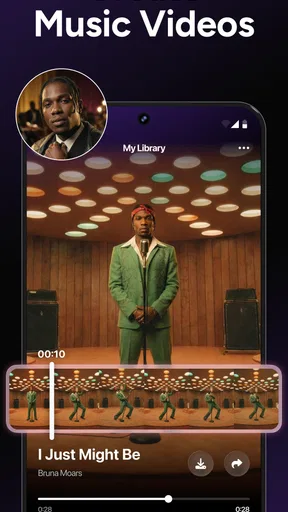
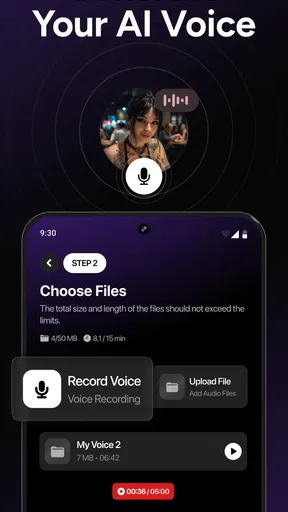
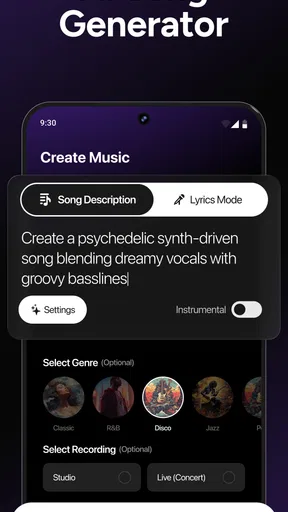
 Analysis by AppCompare
I’d treat MyTunes as a shared creative toy rather than a household music studio. Its appeal is that someone can start with an idea and hear an AI-generated song without first learning a full production workflow. That makes it easy to pass around a phone for a quick “what if we made a song about this?” moment, whether the prompt comes from a rainy afternoon, a family joke, or a made-up character. The key is to keep expectations modest: it’s for experimenting and having fun, not a substitute for a carefully arranged recording session.
A quick activity for a shared device
Picture a quiet stretch at home when one person wants to make a playful track and another has ideas for its mood or style. MyTunes can give them a common starting point: agree on the kind of sound, generate a draft, then listen together and decide what works. I like this use because it turns music-making into a short, low-pressure activity rather than a lesson in software. It can also help a beginner get past the blank-page problem: instead of staring at an empty project, they have something to react to.
For a shared phone, I’d keep each turn simple. One person can choose the broad direction, while another listens for whether the result feels too energetic, too calm, or simply unlike what they imagined. That conversation is part of the fun, but it also helps avoid a common disappointment with generative tools: the first result may not match the idea in your head. Treat it as a draft to explore, not a guaranteed finished song.
Keep creative turns and accounts clear
Before handing the device to someone else, I’d make sure they know which project or session they are working in and who is responsible for saving or sharing the result. That is useful on any shared creative app, especially when several people are taking turns and a track has personal vocals or a private in-joke in it. I wouldn’t assume that a household has separate profiles or family controls; the practical approach is simply to agree on device use and review a creation before sending it anywhere.
There’s also a sensible boundary between experimenting and publishing. A funny song made for people at home may feel different once it is shared beyond that circle. I’d listen through the final version, check that everyone whose voice or idea is included is comfortable with it, and make sure the person sharing understands where they intend to post it. That small pause matters more than making the track sound polished.
What this kind of generator is best at
Compared with a conventional digital audio workstation, MyTunes is the more approachable choice when the goal is to get an idea moving quickly. A full production tool gives a musician more deliberate control over recording, editing, and arrangement, but it can demand time and familiarity before a new user gets a satisfying result. An AI generator trades some of that hands-on precision for a faster starting point. If you want to learn detailed mixing or build a track from individual parts, a traditional production app is likely a better fit; if you want an easy creative prompt, this is the more inviting route.
It also serves a different purpose from a streaming service. Streaming is for choosing music to listen to; a generator is for playing with the idea of making something. I wouldn’t install it expecting a ready-made library of favorite songs. Its value is in the act of trying a musical direction and seeing what comes back, which will matter more to curious creators than to someone who only wants background music.
Worth Reading Before You Choose

EA SPORTS FC Mobile 26 Is a Bigger Football Game, but It Takes Time

Flipboard Shows What News Apps Must Do Beyond the Feed

Switching to Android Auto Means Rethinking Your Driving Routine

Google Calendar Makes a Crowded Week Easier to Manage

Ludo King Makes the Most of the Minutes Between Plans

Baby Panda World Brings Quick Play to Modern Phones, but Its Game Library Feels Busy
One useful habit is to decide what you want to learn from each attempt. Try a different mood while keeping the general idea similar, or change one choice at a time so you can hear what had the strongest effect. That makes experimentation less random and helps a new user explain what they like. It is also a good way to keep a shared session moving: each person can suggest one change instead of repeatedly starting over without knowing why.
Getting Started with MyTunes
First things first, downloading and setting up MyTunes: AI Music Generator is a breeze. Available on both Android and iOS, you can find it on your respective app store, and trust me, it’s worth the space on your device. Once you’ve got it installed, the interface greets you with a sleek, user-friendly design that’s super easy to navigate. You don’t need to be a tech whiz to figure this one out, which is a huge relief.
Exploring the Features
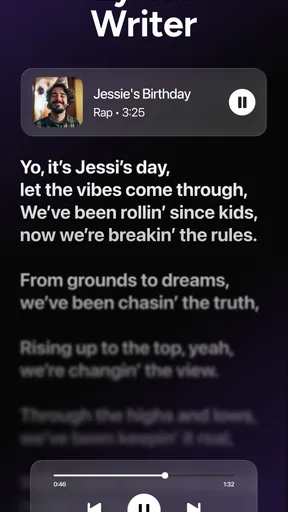
The app boasts a variety of features that cater to different musical needs. One of the coolest things is the AI-powered music generator. You simply select a genre, set the mood you’re going for, and let the AI do its magic. From electronic beats to soothing jazz, there’s a little something for everyone.
Another standout feature is the customizable instruments. You can tweak sounds and effects to your heart’s content, which adds a really personal touch to your creations. Plus, the app allows for multiple track layering, so you can create complex compositions right from your phone.
Creating Music with Ease
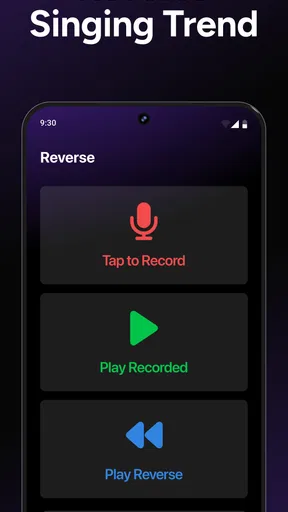
Jumping into creating music with MyTunes is as easy as pie. I was amazed at how quickly I could put together a track that actually sounded good. The AI does a lot of the heavy lifting, but you’re still in control of the creative process. You can adjust tempo, key, and even add your own vocals if you’re feeling brave.
For beginners, the app provides tips and tutorials to help you get started. And for the more experienced musicians out there, the advanced settings let you dive deep into the nuances of music production. It’s like having a portable studio in your pocket.
Sharing Your Masterpieces
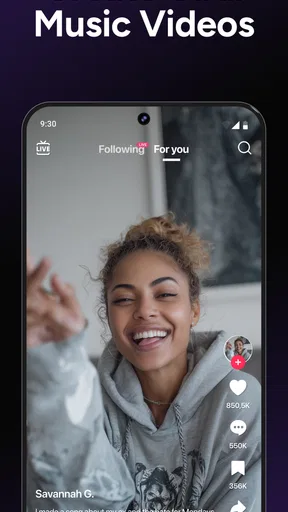
Once you’ve crafted your masterpiece, sharing it is as simple as hitting a button. You can export your tracks in various formats and share them directly on social media or with friends. The integration with platforms like SoundCloud and Spotify means your music can reach a wider audience in no time.
And if you’re worried about quality, don’t be. The app ensures that your tracks maintain high audio quality, so they sound professional, even if you’re just starting out.
Who should give it a try
I’d recommend MyTunes: AI Music Generator to people who enjoy making little creative experiments but don’t want music theory or a complicated workstation to be the entry fee. It can suit a beginner looking for a first step, a casual songwriter testing a mood, or friends who want to make a silly track together. HubX publishes this free entertainment app, though “free” doesn’t mean every option is necessarily included: in-app purchases range from $4.99 to $59.99 per item, so I’d check the cost shown in the app before committing to a purchase.
The audience response is mixed rather than universally glowing: it has a 3.1 average from around 138,000 ratings, alongside roughly 4,600 written reviews. That’s a useful reminder to approach it as a tool to try, not a guaranteed match for every taste. It has passed 1 million installs, but popularity alone won’t tell you whether its creative style suits you. I’d start with a small idea and decide based on the results you actually enjoy making.
Age, expectations, and trust
The app is rated Teen, so I’d use that as a prompt for a parent or guardian to consider whether its creative and sharing context suits the young person using it. That age label doesn’t replace a conversation about posting, voice recordings, or what should stay within the household. If a teen wants to make something for friends, I’d encourage them to listen back together and think about audience before sharing, especially when a personal voice or identifying detail is involved.
For adults, the same basic judgment applies: an AI-generated track can be amusing, but a polished sound does not automatically make it appropriate for every context or ready for every platform. If the goal is a private joke or a family activity, keep it at that scale unless everyone involved agrees otherwise. And if the goal is a serious release, I’d choose a workflow that gives clear control over production and publishing rather than assuming a quick mobile creation is ready for distribution.
Practical trade-offs before you begin
MyTunes is free to install, and the current version is 2.3.6; it requires Android 7.0 or later. Those details make it straightforward to check basic device fit, but the bigger decision is whether its style of guided creation matches what you want. A music-making app can feel limiting when you already know exactly how each instrument should sound. In that case, an ordinary recording or production tool will give you more direct control, even if it takes longer to learn.
There’s a different trade-off for a first-time creator. The app’s ease can make it tempting to accept the first result and move on, but a little patience makes the session more rewarding. I’d adjust a single element at a time, listen again, and keep only the changes that improve the idea. If you’re layering parts or adding vocals, try to keep the central hook clear; piling on options just because they are available can make a short song harder to follow.
When I would choose another option
I wouldn’t pick this app for someone who needs dependable, detailed control over every production step, wants to record a band in a structured studio workflow, or expects AI to translate a precise musical brief perfectly. A conventional audio workstation is better for that kind of work. Nor is MyTunes the right choice if you only want to listen to finished songs; a music service is designed for that, while this app asks you to participate in creating something.
It may also disappoint someone who equates a quick result with a finished professional release. I’d treat generated tracks as sketches, entertainment, or a starting point for personal expression. The creative payoff is strongest when you enjoy trying alternatives and shaping an idea, not when you need a specific outcome on the first attempt. That distinction is worth knowing before spending money on optional items or investing time in a project.
A household-sized verdict
For a household, I see MyTunes as an easy way to invite different ages and experience levels into a shared music experiment, provided the device owner sets ordinary boundaries around turns, purchases, and sharing. The app is free to try, but optional purchases and the Teen rating are reasons to make expectations clear rather than hand over a device without discussion. Its best moments are likely to come from making a draft together, laughing at an unexpected result, and deciding what to change next.
I’d suggest it to curious people who want a low-friction route into AI-assisted music and are happy to treat the output as creative play. I’d steer serious producers toward a more controllable workstation and listeners toward a streaming app instead. For everyone in between, start with a small idea, keep the first session focused, and judge the app by whether the process itself is enjoyable—not by whether every generated track sounds exactly as imagined.
Final Thoughts
In a world where music production often feels out of reach for many, MyTunes: AI Music Generator is a breath of fresh air. It’s accessible, fun, and truly empowers users to explore their musical potential. Whether you’re composing your next big hit or just having fun with sounds, this app is a must-try.
So, if you’re ready to unleash your inner musician, give MyTunes a try. Who knows? You might just discover a hidden talent or find a new favorite hobby. Happy creating!
Pros
- Generates music in seconds.
- Easy-to-use interface.
- Variety of music styles.
- No musical skills needed.
- Frequent updates enhance features.
Cons
- Limited free version features.
- Requires internet connection.
- Occasional AI errors.
- Some genres lack depth.
- Ads can be intrusive.
FAQs for MyTunes : AI Music Generator
What features does MyTunes: AI Music Generator offer?
MyTunes: AI Music Generator provides users with the ability to create unique music tracks using artificial intelligence. The app offers a variety of genres, customizable sound settings, and an intuitive interface for easy navigation. Users can export their creations, share them on social media, and even collaborate with other users within the app.
Is MyTunes: AI Music Generator user-friendly for beginners?
Yes, MyTunes is designed to be accessible to users of all skill levels. The interface is straightforward, with guided tutorials and helpful tips for new users. Beginners can effortlessly experiment with different sounds and styles, while more experienced users can delve into advanced customization options to fine-tune their compositions.
Does MyTunes: AI Music Generator require an internet connection?
While MyTunes offers offline capabilities for basic music creation, an internet connection is recommended for accessing cloud features, downloading updates, and sharing projects online. The app also uses online resources to enhance AI-generated compositions, ensuring users have the best experience with the most up-to-date tools.
Are there any in-app purchases in MyTunes: AI Music Generator?
Yes, MyTunes includes in-app purchases for additional features and premium content. Users can buy genre packs, sound libraries, and advanced editing tools. While the basic version offers a comprehensive set of features, these purchases allow users to expand their creative possibilities and access exclusive content.
How does the AI in MyTunes: AI Music Generator work?
MyTunes utilizes cutting-edge AI algorithms to analyze musical patterns and generate compositions. The AI learns from a vast database of music, enabling it to create unique and harmonious tracks. Users can influence the AI's output by selecting genres, moods, and specific instruments, making each creation personalized and distinctive.


